Learn to type by touch.
No sight needed.
KeyCode is a talking touch-typing course for the Mac. Fourteen short days, every key spoken and every finger named. Built by people who are losing their sight, for people who are losing their sight.
Not sure? Try it free — days 1 and 2 cost nothing.
One payment, no subscription · Mac, macOS 14 or newer
See and hear it
A minute with KeyCode.
With KeyCode’s own voice. Captions included.
Listen. Feel. Type.
Every lesson works the same way, so you always know where you are.
Listen
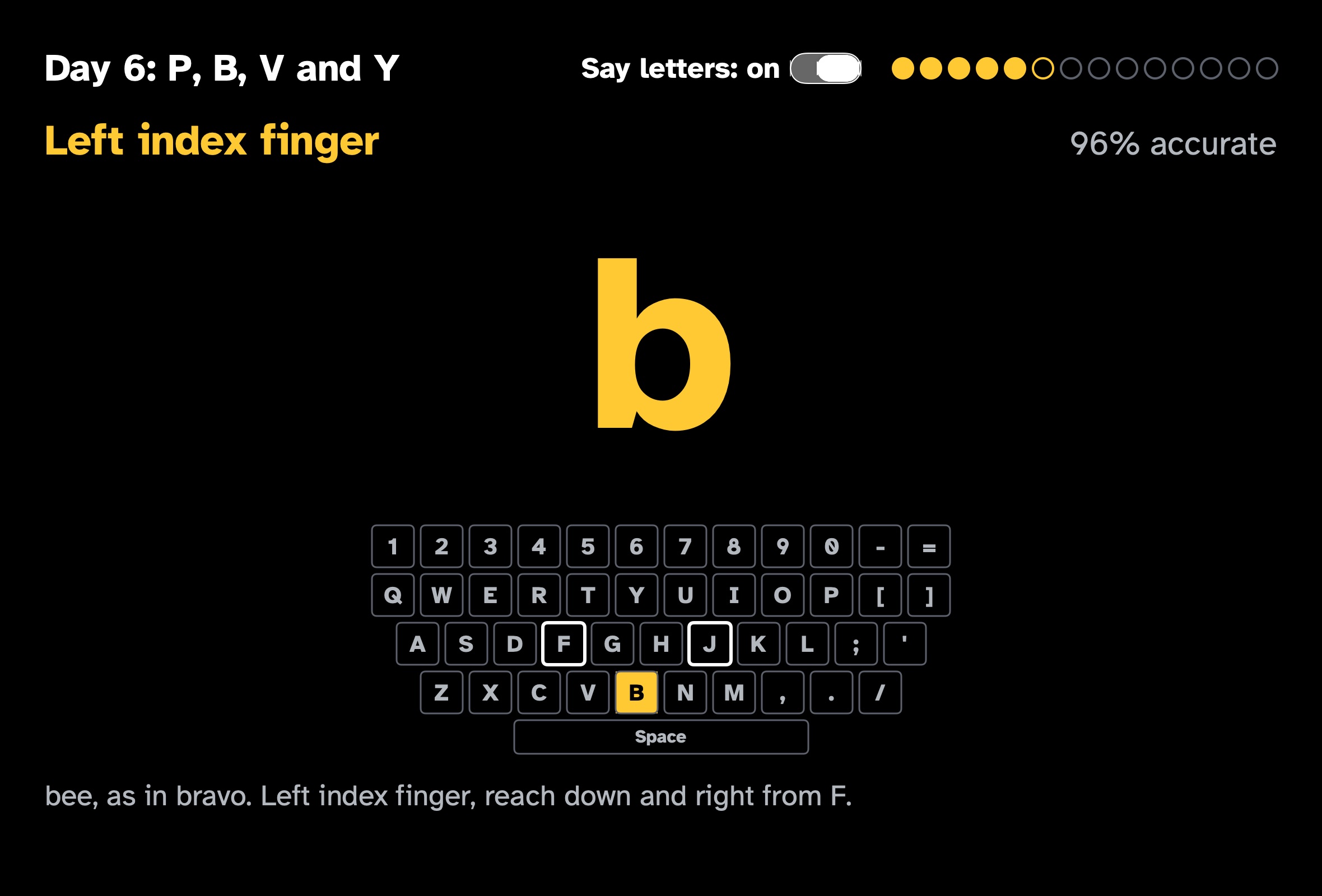
KeyCode names the key and tells you which finger to use: “bee, as in bravo. Left index finger, reach down and right from F.”
Feel
Find it from the home row. The bumps on F and J are your landmarks. Ask again with the left arrow, or for a hint with the right.
Type
Press it. A sound in the ear on that hand’s side says you’ve got it; a different sound means try again. No sight needed at any point.
Fourteen days
A story that only uses the keys you know.
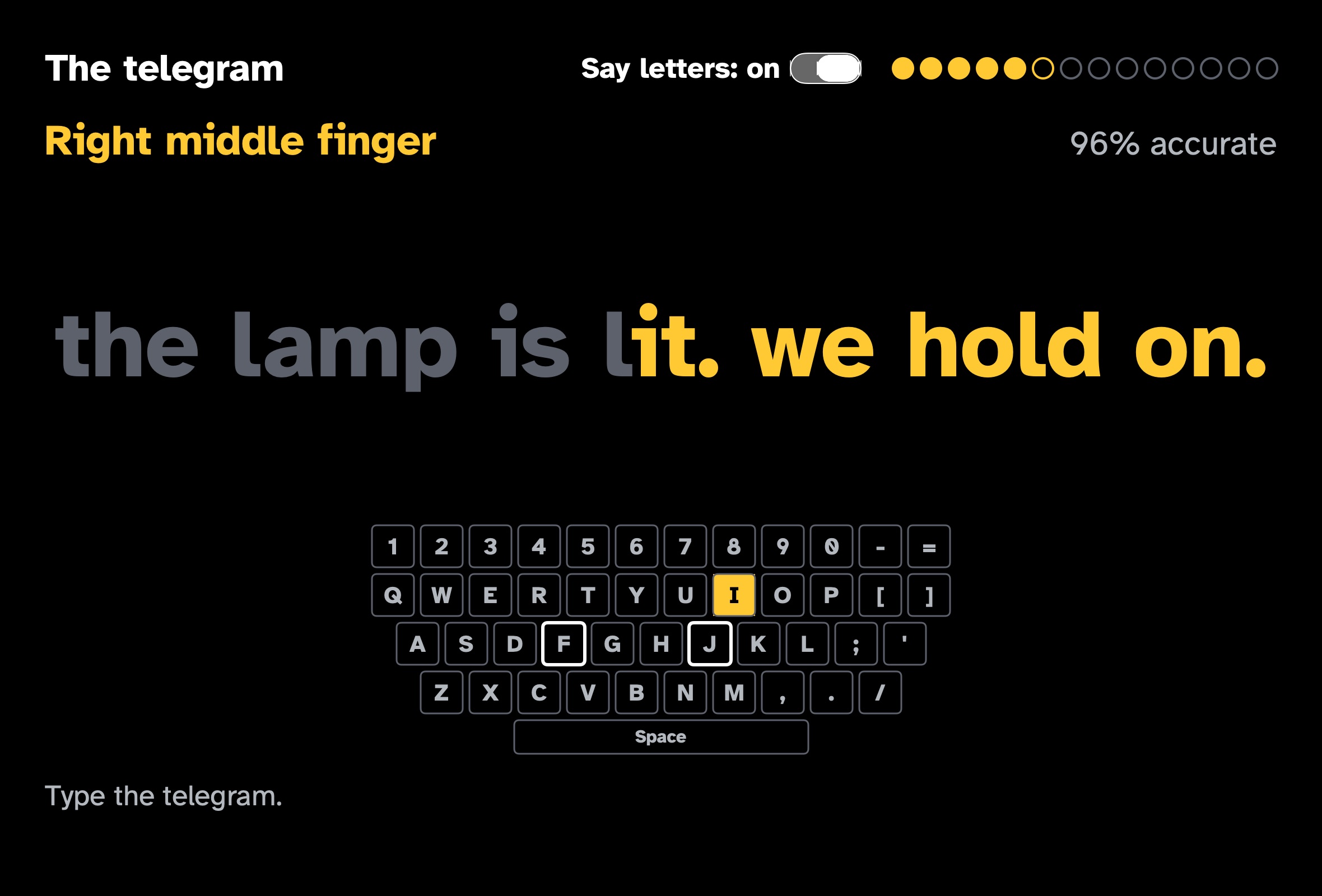
You’re a lighthouse keeper on a storm-bound rock, repairing the telegraph one key at a time. Every day ends with a telegram written only with the keys you’ve learned so far, so every word you type is one you can actually type.
- About twenty minutes a day
- New keys introduced a few at a time
- Real words from day 1
- 1Eight keys and a thumbFree
- 2E, I, G and HFree
- 3R, U and T
- 4O and N
- 5W, M and C
- 6P, B, V, Y and two marks
- 7The last three letters
- 8Capitals
- 9Apostrophes, hyphens, questions
- 10The number row
- 11Symbols for the real world
- 12Speed
- 13Fixing mistakes, and getting around
- 14Lamp lit
Games
Practice that feels like play.
Short games build speed and confidence by touch. Every score is spoken, and your best is kept to beat next time.
- Storm Signals: Letters fly in from the storm, left ear for left-hand keys and right for right. Press each before it lands.
- The Keeper’s Safe: Twelve locks, each opened by a short code of three to five keys. Scored on speed.
- Word Sprint: Sixty seconds of words you hear and type. How many can you get?
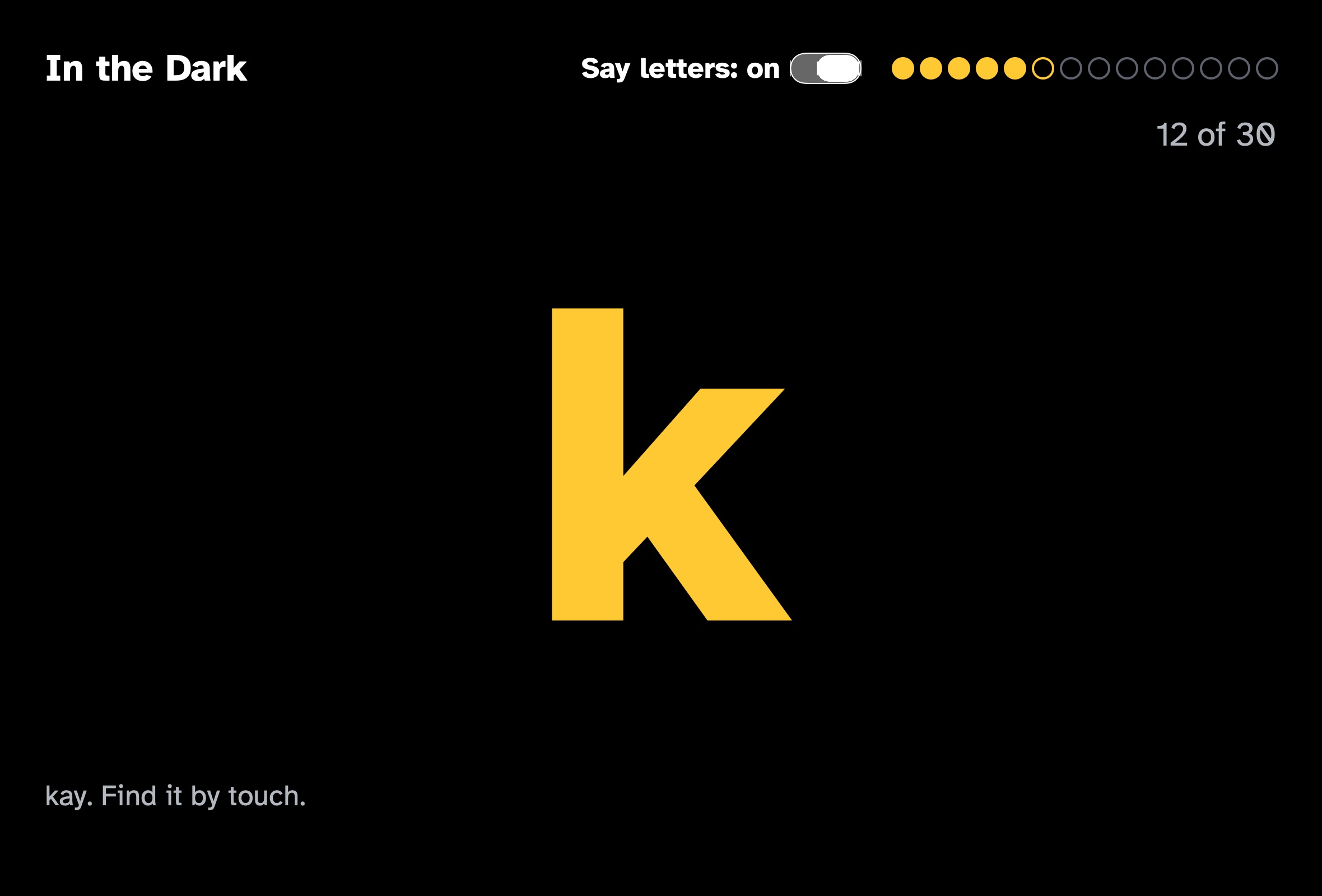
- In the Dark: The keyboard picture disappears. Find thirty letters by touch alone.
No sight. No mouse. No problem.
From the first menu to the final test, KeyCode is driven entirely from the keyboard and tells you everything out loud. The same six keys work everywhere:
- ←
- Hear that again
- →
- Which finger? Where is it?
- ↑ ↓
- Speak faster or slower
- Tab
- Letters spoken on or off
- Esc
- Pause, or go back
- Return
- Choose, carry on
Your progress
It remembers where you are.
Stop mid-lesson and KeyCode picks up at the same step tomorrow. It keeps your streak, your best speed and the keys that still trip you up, and builds practice around them.
- Resume exactly where you stopped
- Ten-minute weak-key practice
- Hear your progress any time
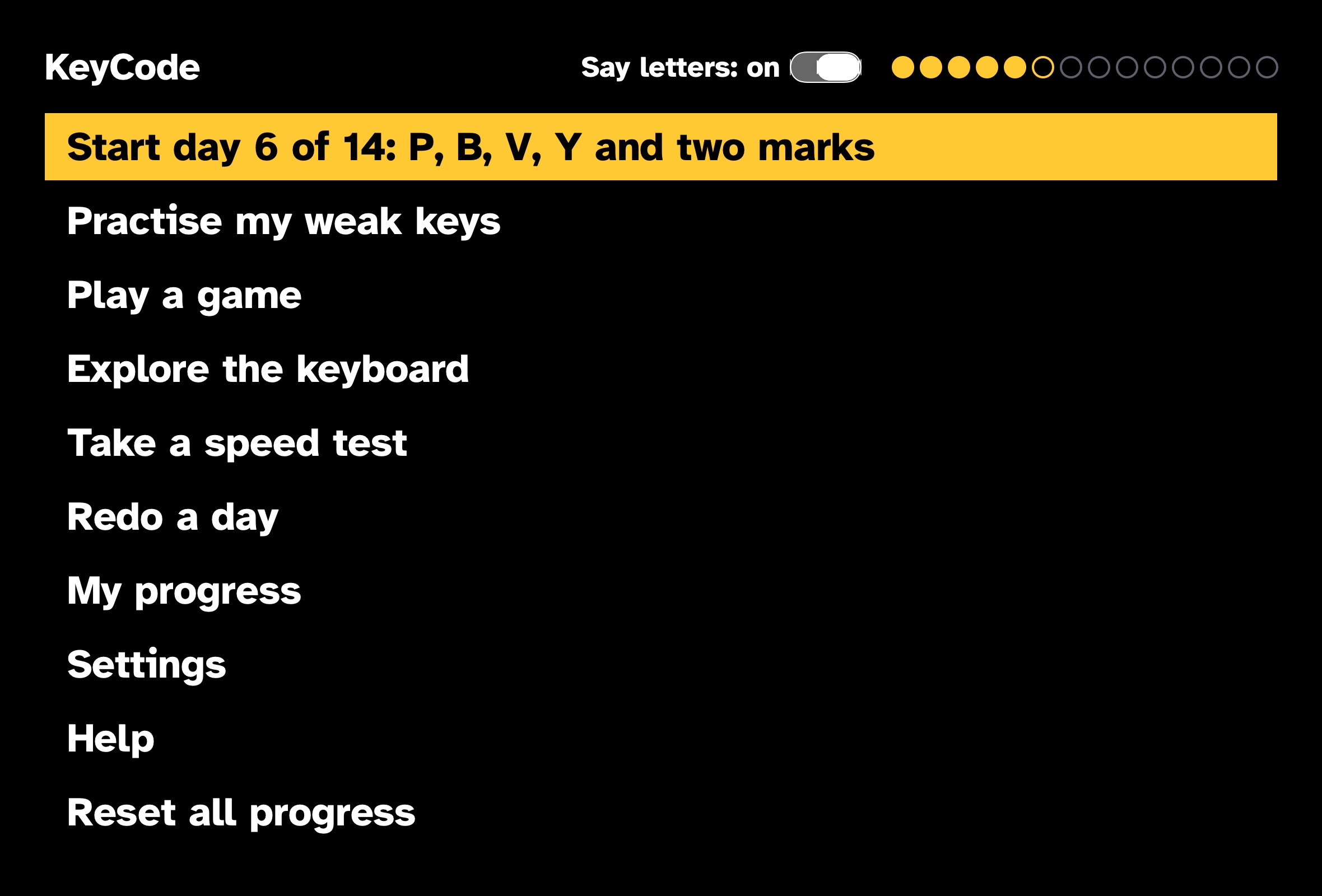
Thought through for the ear and the hand.
Every key spoken
Each key is named clearly, with “as in” words for the ones that sound alike, so you never mishear a letter.
Every finger named
KeyCode tells you which finger to use and where to reach from the home row. The right arrow repeats it any time.
Practises your weak keys
It tracks every key you type and builds ten-minute sessions around the ones you miss most.
A real speed test
A one-minute test with a spoken countdown, so you can hear your words per minute grow.
Redo any day
Go back to a finished day as often as you like. Your place in the course is kept.
Knows your keyboard
KeyCode reads your Mac’s keyboard layout, so the guidance matches the keys under your fingers.
Sound you can follow
Left-hand keys sound in your left ear, right-hand keys in your right. Pitch follows the row.
Works with VoiceOver
KeyCode speaks for itself, and plays nicely with VoiceOver. Day 13 even teaches the shortcuts.
Private by design
No account and no tracking. Your progress stays on your Mac.
Try it free. Keep it for £9.99.
£9.99
One payment · no subscription
- Days 1 and 2, the games and Explore the keyboard free
- The whole 14-day course with a licence
- KeyCode 1 and every 1.x update
- Use it on up to 3 of your Macs
- Your key on screen instantly, and by email
- 30-day money-back guarantee
Requires a Mac on macOS 14 Sonoma or newer. English speech.
Questions
Do I need to be able to see the screen?
No. KeyCode speaks every instruction, every key and every result, and everything works from the keyboard. The screen is there if you want it: a true black background, large amber letters and a highly legible typeface.
Can I try it before I buy?
Yes. Download KeyCode free and do days 1 and 2, all the games and Explore the keyboard. If you like it, a £9.99 licence key unlocks day 3 onwards, and you carry on exactly where you left off.
How long does it take?
Fourteen days at about twenty minutes a day. Go faster or slower if you like: the course waits for you, and you can redo any day.
Will it work with VoiceOver?
Yes. KeyCode speaks for itself, so many people turn VoiceOver off during lessons (Command-F5) to avoid two voices; it tells you how. Its menus and the licence window also work with VoiceOver.
Which voices does it use?
Your Mac’s own English voices. Choose one and set the speed in Settings. You can download higher-quality voices free from Apple in System Settings.
I’ve never typed properly. Is it for me?
Absolutely. Day 1 starts with finding the home row by touch. Nothing is assumed.
Which Macs does it run on?
Any Mac on macOS 14 Sonoma or newer, Apple silicon or Intel, with a built-in or external keyboard.
Is it a subscription?
No. One payment of £9.99 covers KeyCode 1 and every 1.x update, on up to three of your Macs.
What happens to my data?
Nothing leaves your Mac except a licence check with our server. There is no account, no analytics and no advertising.
Can I get a refund?
Yes. If KeyCode isn’t right for you, email support@ingressvc.com within 30 days for a full refund.
More help: KeyCode help articles or email support@ingressvc.com